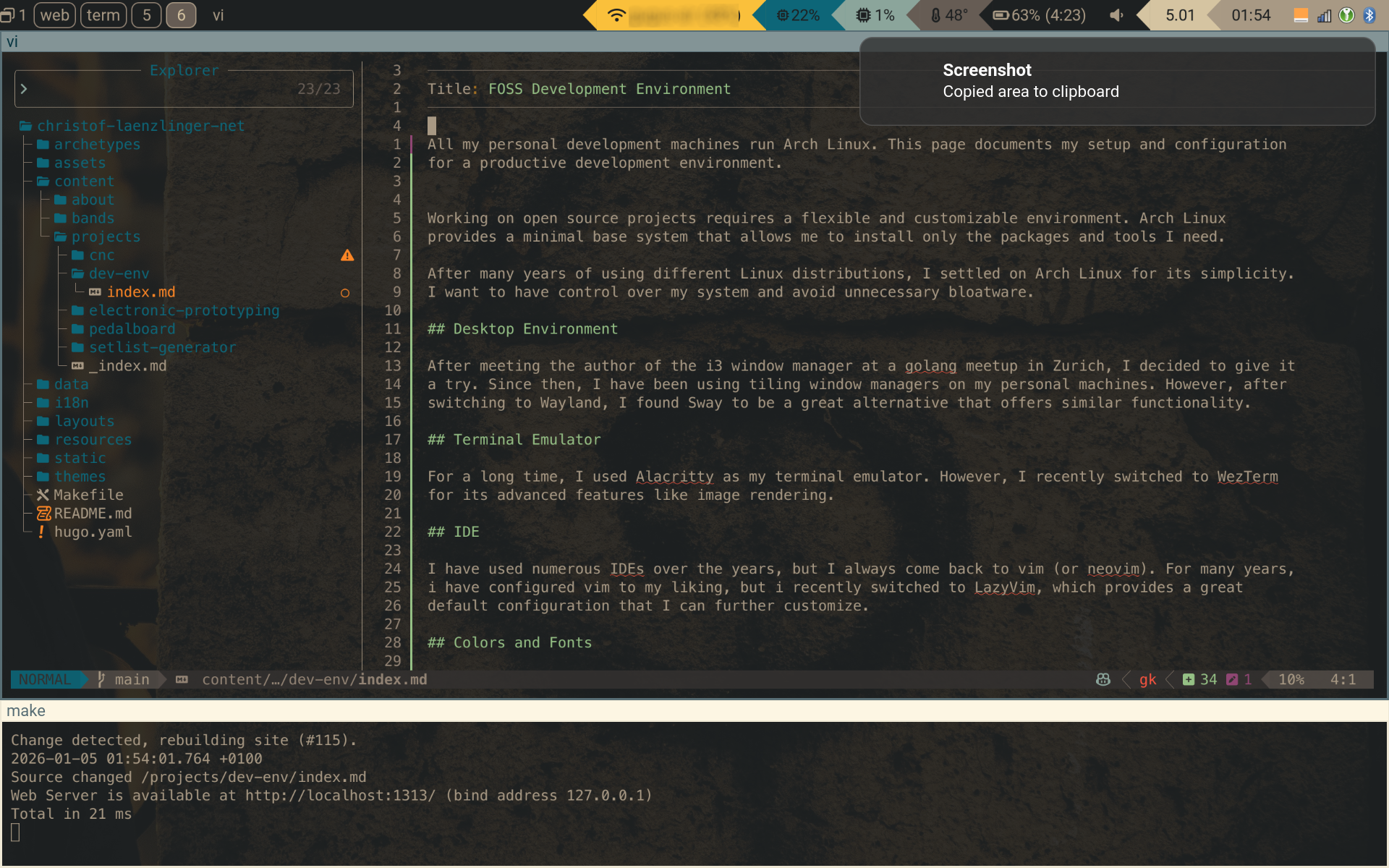
All my personal development machines run Arch Linux. The goal: a single, reproducible environment that works identically across different hardware — fast, minimal, and entirely under my control.
Why FOSS All the Way Down
I want to understand and own my tools. When something breaks, I want to fix it — not file a support ticket and wait. When something annoys me, I want to change it. A fully open-source stack makes this possible at every layer, from the window manager to the editor.
I prefer fewer abstractions. Every layer between me and the system is a layer I don’t control and will eventually have to debug through. The tools in this setup talk to each other via files and environment variables — not frameworks, not daemon protocols, not plugin APIs. The one exception is LazyVim: it abstracts away maintenance, not understanding. I can still read every config and override anything.
Arch Linux is the foundation because it stays out of the way. No preconfigured desktop, no bundled applications, no opinions about how I should work. I install exactly what I need and configure it exactly how I want. The rolling-release model means I always have current software without distribution-upgrade migrations.
Multi-Machine Setup
I run the same environment on two machines:
- gibson — ThinkPad X1 Carbon Gen 12 (Intel, daily driver)
- fender — MacBook Pro 16" M1 (Apple Silicon via Asahi ALARM)
All configuration lives in a single chezmoi dotfiles repository.
Machine-specific differences — package lists, display scaling, kernel — are handled via
templates. A change made on one machine is a git pull away on the other.
This reproducibility is the point. If a machine dies tomorrow, I can have my full environment running on new hardware in under an hour.
Desktop: Sway
After meeting Michael Stapelberg, the author of the i3 window manager, at a Go meetup in Zurich, I adopted tiling window managers and never looked back. Every window has a purpose and a place — no overlapping, no hunting for buried windows.
When Wayland matured enough, I moved to Sway. It’s a drop-in replacement for i3 on Wayland with proper HiDPI support, per-monitor scaling, and no screen tearing.
The sway config is split into modular files: keybindings, floating rules, autostart, display
layout. Background services (clipboard manager, notification daemon, idle lock) run as systemd
user units rather than exec lines — they start reliably and can be managed independently.
Status Bar: Waybar
Waybar shows system state at a glance. Custom scripts report network status (including VPN), CPU, memory, battery health, backup freshness, and pending updates. Tooltips reveal detail — top processes, connection info — without needing to open a terminal.
Floating overlays (KeePassXC, Bluetooth, audio patchbay) toggle from waybar clicks using a consistent pattern: check if visible, kill if yes, launch if no.
Launcher: Rofi
Rofi is the interface for everything that isn’t a persistent window. App launcher, clipboard history, file search, WiFi network picker, calculator, USB eject, and a keybinding cheatsheet — all through the same consistent UI.
Every rofi binding uses the toggle pattern (pkill rofi || rofi ...), so the same key opens
and closes it. This makes the interaction predictable: one key, one action.
Terminal: foot
After years with Alacritty and then WezTerm, I settled on foot — a lightweight Wayland-native terminal. It’s GPU-accelerated, starts instantly, and does one thing well: render text fast. Foot supports Sixel for inline image rendering — the feature that originally led me away from Alacritty — without the overhead of a heavier terminal.
A custom spawn script inherits the working directory from the last active terminal, so new windows open where I’m already working.
Shell: Zsh + Starship
Zsh with a minimal plugin set: syntax highlighting, autosuggestions, and transient prompts (previous commands collapse to a clean line). Managed by Antidote — pure zsh, no framework overhead.
Starship provides the prompt: current directory, git branch/status, active language runtime. It appears only when relevant — a clean prompt in a non-git directory, rich context inside a project.
Colors: Tinted Theming
I switch between a dark theme (darktooth) and a light theme (gruvbox-light) automatically based on sun position via darkman. Every application follows along — terminal, editor, status bar, launcher, browser, notification center.
Tinty orchestrates the switch. A single theme change triggers hooks that regenerate color files for each application. All colors derive from one base16 palette, so everything stays visually coherent without manual per-app configuration.
Font: MesloLGS Nerd Font
MesloLGS Nerd Font everywhere — terminal, editor, status bar. One font across the entire environment means consistent character widths, icon rendering, and no surprises when switching contexts.
Editor: Neovim with LazyVim
I keep coming back to vim. After years of maintaining a hand-crafted config, I switched to LazyVim — a curated Neovim distribution that provides sensible defaults for LSP, completion, file navigation, and git integration. I still customize it, but I no longer maintain the scaffolding.
The key advantage over GUI editors: it works identically over SSH, in containers, and across architectures. The same muscle memory applies whether I’m editing locally or on a remote server.
Security
The environment is encrypted at rest (LUKS full disk encryption on both machines). SSH keys live in a GPG agent with hardware-backed key storage — one agent for both GPG signing and SSH authentication.
Secrets in the dotfiles repository are encrypted with sops, so the repo stays public while credentials remain private. Passwords live in KeePassXC, accessible via a keyboard shortcut from any workspace.
Why This Still Works (2026)
This setup has been running for years with only incremental changes — a terminal swap here, a new rofi mode there. The core choices (Arch, Sway, Neovim, chezmoi) age well because they avoid abstraction layers that rot. There’s no desktop environment to deprecate features, no framework to break upgrades, no cloud dependency to shut down.
The Wayland ecosystem maturing validated the early Sway bet. Foot, Waybar, and Rofi all work better on Wayland now than X11 ever did. The only real change in years was moving from Alacritty to WezTerm to foot — each time simplifying, not adding complexity.
Minimal tools that do one thing well tend to outlast feature-rich alternatives.